


The unpredictability of AWS, Azure, and Google cloud pricing models is huge. You will never know what will be the current month’s billing. In that case, you might want to consider other small cloud hosting providers.
It’s hard to find reliable and cheap VM hosting providers. We have done the hard boring research for you. We have assembled a complete list of the best hosting providers you can use.
The list covers
- 14 cheapest VM hosting providers
- 5 cloud VM providers
Let’s start.

 Kamatera
 Vultr
Vultr InterServer
Contents
14 Cheap VM hosting providers (virtual machine servers)
From industry giants with extensive global infrastructure to specialized providers focused on specific use cases.
This list will help you explore and compare the options available, enabling you to make an informed decision for your virtual machine hosting needs.
1. Kamatera (Best VM Hosting Provider for any OS)
Kamatera is the cheapest virtual machine server you can get with the premium features.
The virtualized cloud computing environment provides complete flexibility to configure the server as per your need. You can add your desired specs, add-ons, etc. Due to the same reason, the overall cost of the server is low.
Not only you will get full root access, but you will also get a proprietary API using which you can add the resources whenever required.
They have a sophisticated development environment. You can also add as many DBs as you want. Further, you can add/remove any servers without paying any penalty.
They have more than 13 data centers across 4 continents. They offer the highest combinations of operating systems. Additionally, you can also add load balancers on the go.
Starting specs
- CPU: 1 core
- Memory: 1024 MB
- Storage: 20 GB SSD
- Uplink aka connection speed: 10 Gbit per sec
- Bandwidth traffic: 5000 GB/month or 50 Mbit/sec burstable
- Price: $4 per month (no contracts)
OS Library
- Microsoft Windows 8,9, & 10, and all the versions of the Windows server with all the editions.
- Ubuntu, CentOS, Debian, FreeBSD, Cloud Linux, RockyLinux, AlmaLinux, TrueNAS, FreeNAS, Gentoo, and OpenSUSE.
- You can also upload a custom ISO.
Best Features of Kamatera
- You will get amazing performance with a 99.95% uptime guarantee.
- They have hourly billing with instant scaling.
- Complete root access to the server with an unlimited restart.
- Unlimited storage (you can add as many drives as you want for additional cost).
- There are 100+ OS images.
- Support is amazing.
2. Vultr (Developer-friendly VM)
Vultr is the most reliable virtual machine hosting provider you can find. You can deploy your server in less than 60 seconds from over 25 locations. You can choose any location around the globe.
It’s great for business apps as they already have a ton of OS combinations and a marketplace to install any app you want.
They have flexible networking configurations. All the cloud instances also support dynamic changes to IPv4, IPv6, and private networks. You will also get a super easy-to-manage control panel.
The cloud is fully configurable. You can select the resources as per your need. They have multiple cloud VMs you can choose from. For cheap rates, you can go with regular performance (includes SSD) or you can also choose a high-performance cloud. It will still cost you less.
They have various plans to choose from. So, scaling up won’t be an issue.
Starting specs and price
- CPU: 1 core
- Memory: 5 GB
- Storage: 10 GB SSD
- Uplink aka bandwidth aka connection speed: 0.5 TB
- Price: $2.50
OS Library
- Windows 2012 R2, 2016, 2019, and 2022.
- Almalinux, Arch Linux, CentOS, Debian, Fedora (Fedora CoreOS), FreeBSD, OpenBSD, RockyLinux, Ubuntu, and VzLinux.
- Vultr also supports custom ISO.
Best Features of Vultr
- They have isolated virtual private cloud to get the best performance.
- 100% SLA.
- You will get native DDoS mitigation.
- High-performance IP network with reserved IPs.
- You can easily manage PI access with a configurable IP list
- Single sign-on feature and team collaboration.
3. Interserver
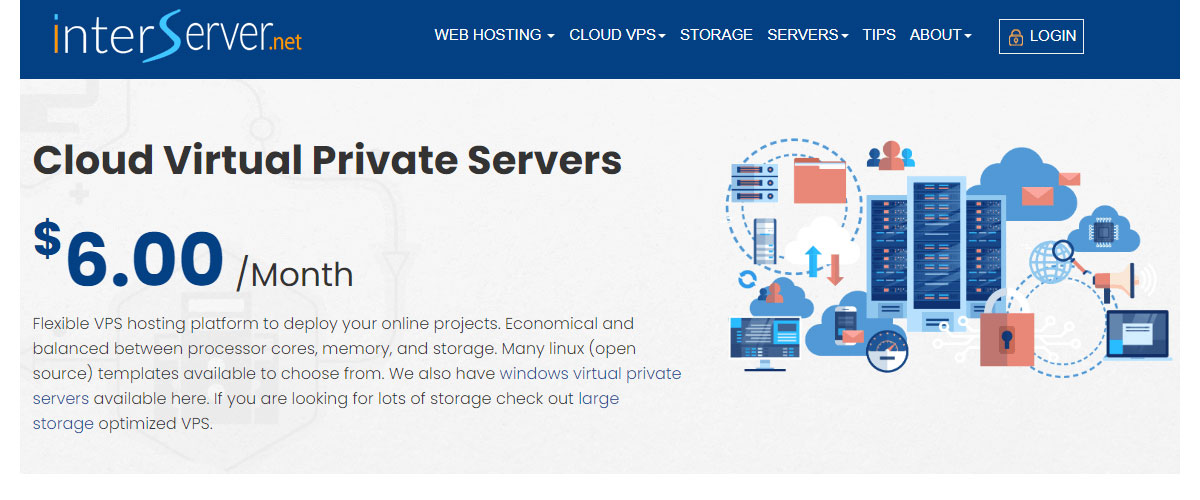
Interserver offers virtualization with KVM, Openvz, Virtuozzo, and Hyper-v. You will get full control over the server. You can access and update the data from anywhere you want.
Their self-healing hardware is something that all VM hosting lovers would admire. If any of the hardware has some issues, your data will automatically be transferred to another server. For the same reason, you will have 99.9% of uptime.
All these features are available at a very affordable rate. For the same reason, it’s one of the cheapest VM providers. The security is top-notch. You can also add a control panel as an addon (it will cost you extra).
Additionally, you can choose storage-based VPS for more disk space.
Starting specs and price
- CPU: 1 core
- Memory: 2048 MB
- Storage: 30 GB
- Uplink aka bandwidth aka connection speed: 2 TB
- Price: $6
OS Library
- For Linux, you can choose from Centos, Debian, FreeBSD, Ubuntu, Cern Linux, Funtoo, Gentoo, Openwall, Altlinux, Suse Scientific, Fedora, Opensuse, and Slackware.
- The Windows plan supports Windows desktop and Windows server.
- You can upload your ISO.
Best Features of InterServer
- You will get container-based hosting for better security.
- It supports all 4 types of virtualization (KVM, OpenVZ, Virtuozzo, and Hyper-v).
- The support is incredible.
- Your backups are stored in a remote location (chargeable).
- The resources are dedicated. So, you will get the advantage of every penny you pay.
4. BitLaunch
BitLaunch is a good choice if you want a flexible virtual machine with cryptocurrency payments and hourly billing. Instead of committing to a long hosting contract, you fund your BitLaunch account and pay for your server based on how long it remains active.
Its own VPS servers use KVM virtualization and support both Windows and Linux. BitLaunch also provides access to cloud servers from other infrastructure providers through the same platform.
One of the biggest advantages is bandwidth. BitLaunch's own servers include unlimited transfer, making them especially useful for projects that would otherwise exceed the relatively small traffic allowances included with some cheap VM providers.
Its newer Amsterdam infrastructure is particularly powerful, offering network connectivity of up to 10 Gbps.

Starting specs and price
BitLaunch uses hourly billing, and available configurations and prices are displayed when deploying a server. Because BitLaunch has also recently changed the pricing of its first-party servers, check the current deployment panel for the exact entry-level price rather than relying on an older fixed monthly rate.
Depending on the configuration, BitLaunch's Amsterdam infrastructure scales up to:
- CPU: Up to 10 Intel Gold CPUs
- Memory: Up to 64 GB RAM
- Storage: Up to 1.2 TB Samsung SSD
- Uplink aka connection speed: Up to 10 Gbps
- Bandwidth traffic: Unlimited
- Virtualization: KVM
OS Library
- Linux
- Windows
BitLaunch also provides one-click applications including WordPress, LEMP, OpenVPN, WireGuard, Outline, and Shadowsocks.
Best Features of BitLaunch
- Unlimited transfer on BitLaunch's own VPS infrastructure.
- Network speeds of up to 10 Gbps on its newer Amsterdam servers.
- KVM virtualization with nested virtualization support.
- Both Windows and Linux are available.
- Free advanced DDoS protection is included.
- Cryptocurrency payments are supported.
- Hourly billing means you don't need a long-term hosting contract.
- Servers can be resized when you need additional resources.
- One-click applications make it easier to deploy popular server software.
5. Impreza.Host
Impreza.Host offers KVM-based virtual servers with a strong focus on privacy and flexible server locations. Its VPS plans give you dedicated virtual resources with full control over your server environment.
One of the more interesting features is the ability to change your VPS location, which can be useful if you want to move a project to a different region. Impreza.Host also follows a No-KYC approach and accepts cryptocurrency payments.
Even its cheapest VPS includes a generous 5 TB monthly bandwidth allowance.

Starting specs and price
- CPU: 1 core
- Memory: 1 GB RAM
- Storage: 20 GB SSD
- Bandwidth traffic: 5 TB
- Price: $9 per month
- Virtualization: KVM
OS Library
- AlmaLinux
- CentOS
- Debian
- Rocky Linux
- Ubuntu
Impreza.Host gives you several Linux distributions to choose from and full control over the KVM virtual server.
Best Features of Impreza.Host
- All VPS plans use KVM virtualization.
- The entry-level plan includes a generous 5 TB bandwidth allowance.
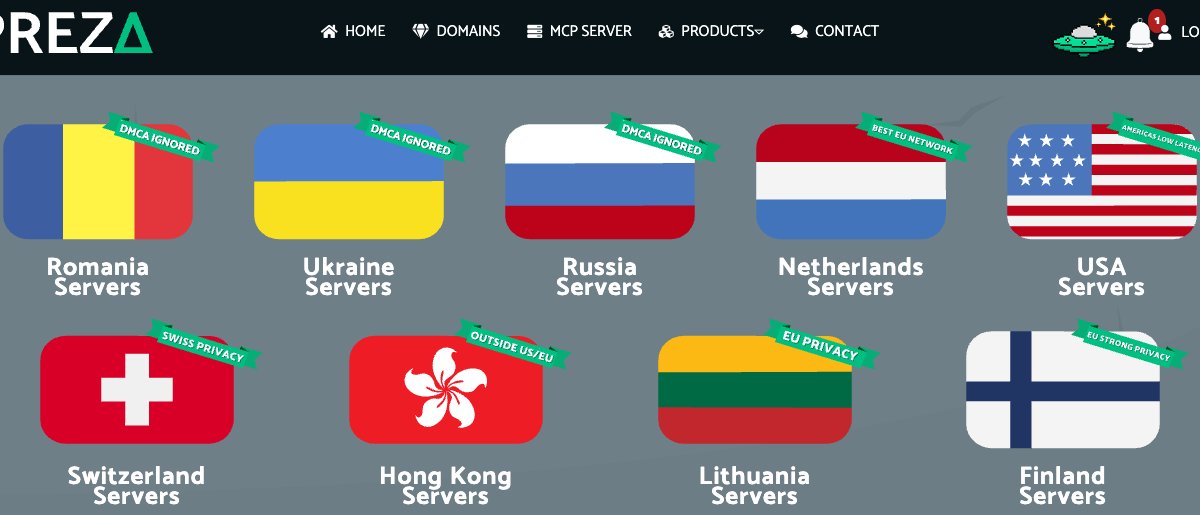
- Multiple server locations are available, including the Netherlands, Romania, Switzerland, Finland, Lithuania, Iceland, Ukraine, the USA, and Hong Kong.
- You can change your server location instead of being permanently tied to one region.
- Port 25 is unlocked.
- An .onion domain is included with the VPS plans.
- No-KYC hosting is available.
- Cryptocurrency payments are supported.
- 24/7 support is available through live chat, email, tickets, and Telegram.
6. Cherry Servers
Cherry Servers offers KVM-based cloud virtual machines with hourly and monthly billing. Its Cloud VPS lineup is designed for smaller websites, development and staging environments, APIs, bots, microservices, and other lightweight workloads.
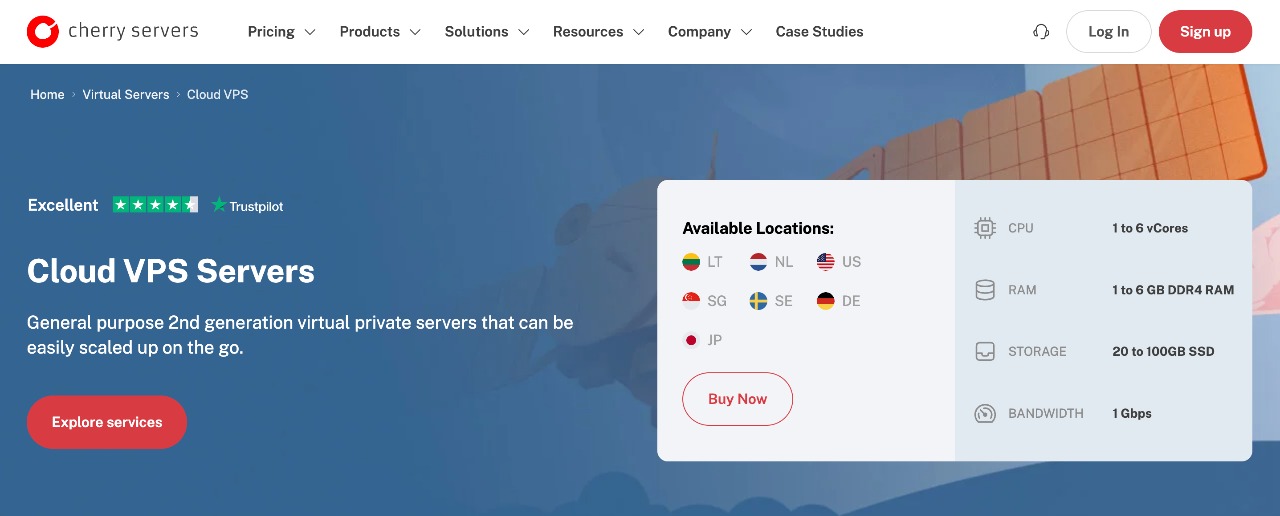
The servers are highly scalable, allowing you to move to larger configurations when your application requires more CPU, memory, or storage. Cherry Servers also provides a choice of server locations across Europe, North America, and Asia.
One major advantage is its 1 Gbps network connection, even with its inexpensive entry-level Cloud VPS configurations.
Starting specs and price
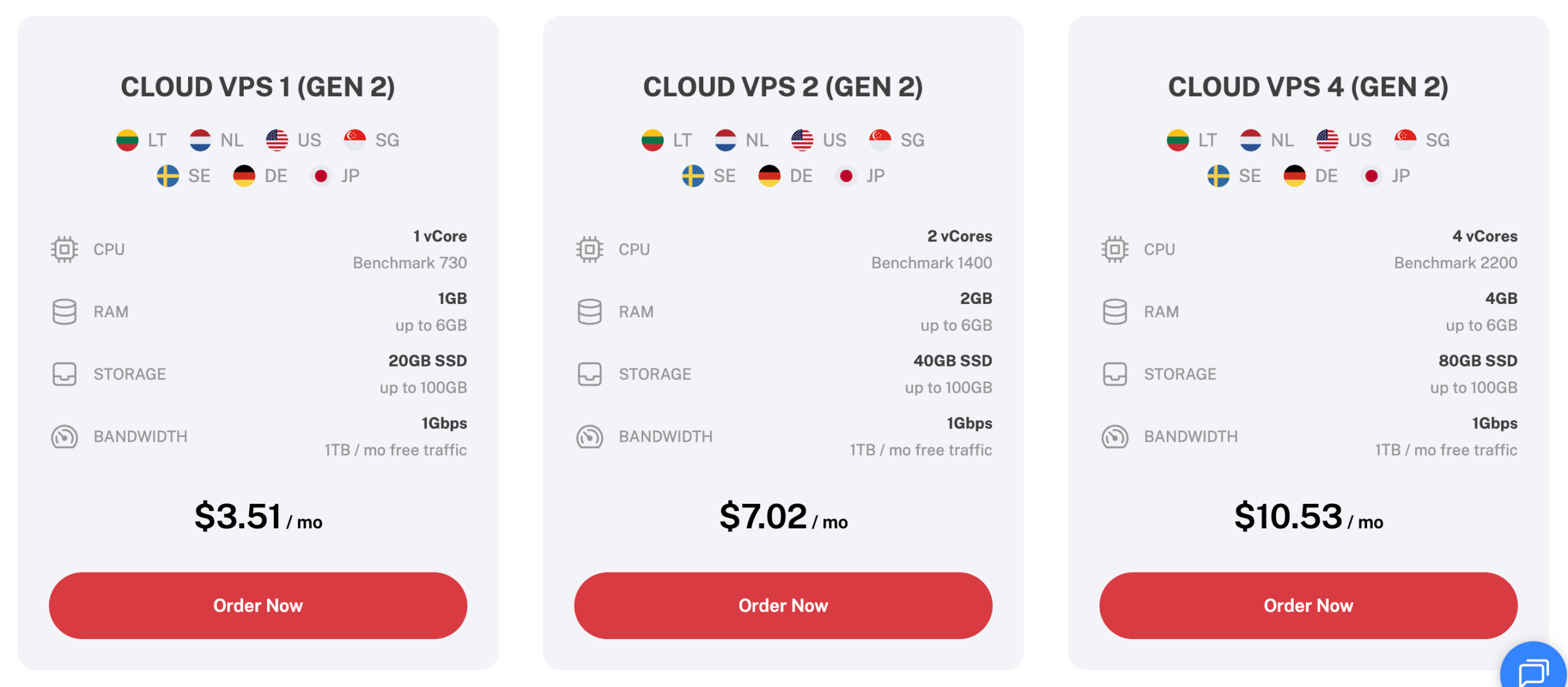
The current Cloud VPS 1 (Gen 2) starts with:
- CPU: 1 vCore
- Memory: 1 GB RAM
- Storage: 20 GB SSD
- Uplink aka connection speed: 1 Gbps
- Bandwidth traffic: 1 TB per month
- Price: $3.51 per month
This makes it one of the cheaper virtual machines in this list for lightweight applications.
OS Library
Ubuntu is available as the default operating system, and Cherry Servers gives you root access via SSH or VNC console, allowing you to configure the virtual server for your workload.
Best Features of Cherry Servers
- Uses KVM virtualization for its virtual servers.
- Entry-level Cloud VPS starts at just $3.51 per month.
- You get a 1 Gbps connection even with the inexpensive Gen 2 Cloud VPS.
- Servers can be deployed in around 5 minutes.
- Cloud VPS resources can be scaled as your requirements increase.
- Server locations include Lithuania, the Netherlands, Germany, Sweden, the USA, Singapore, and Japan.
- 24/7 technical support is available.
- Servers can be managed through the Client Portal, CLI, or REST API.
- Hourly billing is available if you don't need the virtual machine for an entire month.
7. AlexHost
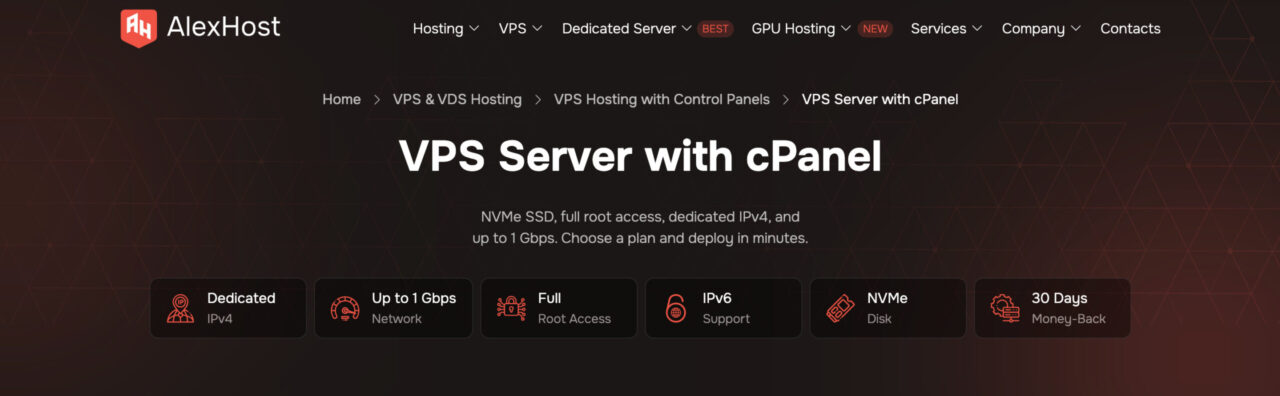
AlexHost offers affordable KVM-based VPS hosting with full root access, NVMe storage, dedicated IPv4, and a choice of multiple server locations. Its entry-level plans are suitable for smaller websites, development environments, VPNs, and other lightweight virtual-machine workloads.
The VPS is highly configurable, and you can choose between managed and unmanaged hosting depending on how much server administration you want to handle yourself. Network connectivity varies by location, with up to 1 Gbps available.
AlexHost also offers several VPS platforms, including its affordable U-series plans and higher-performance configurations.
Starting specs and price
- CPU: 1 vCore
- Memory: 1.5 GB RAM
- Storage: 10 GB NVMe
- Uplink aka connection speed: 100 Mbps shared
- Bandwidth traffic: Unlimited
- Price: €6 per month
OS Library
- Ubuntu
- Debian
- CentOS
- Fedora
- Windows
You get full root access, allowing you to install and configure additional server software according to your needs.
Best Features of AlexHost
- Unlimited bandwidth is available with its VPS plans.
- KVM virtualization provides an isolated virtual server environment.
- Fast NVMe storage is included.
- You get a dedicated IPv4 address and IPv6 support.
- Network speeds of up to 1 Gbps are available depending on the server location and plan.
- Both managed and unmanaged VPS options are available.
- VPS resources can be upgraded as your project grows.
- AlexHost offers a 30-day money-back guarantee.
8. Time4VPS (Cheapest Virtual Machine Hosting provider)
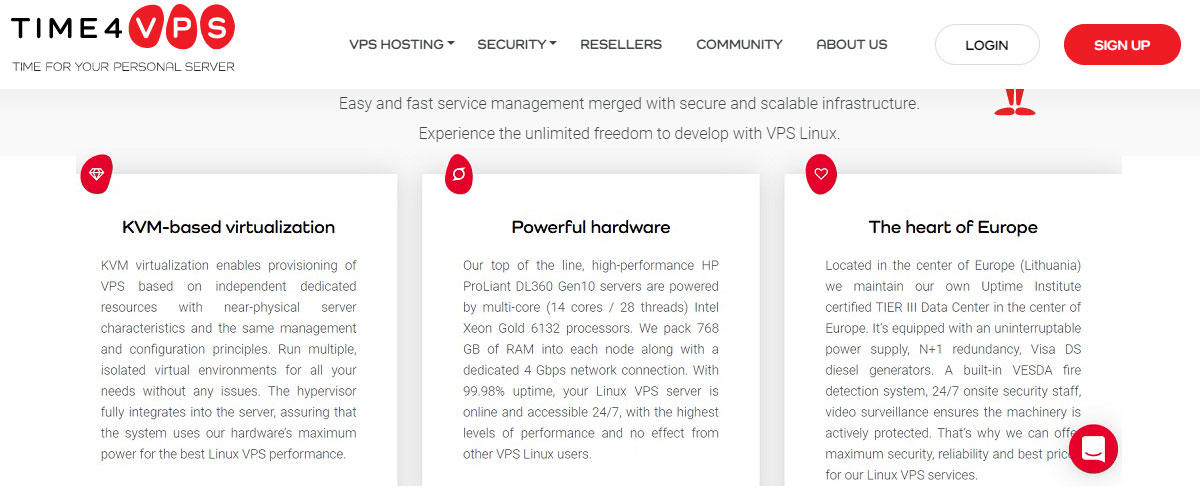
Time4VPS is yet another affordable virtual machine hosting provider you can go with.
They use KVM as the virtualization. The hypervisor will fully integrate with the server giving you full benefits of the hardware capability. You will also get complete root access to the server.
As they use KVM, scaling up and down is super easy. You can add the resources on the go. The base plan has got enough resources to get started with the VM hosting.
It’s a Linux-based VM with TIER III Data Center in Europe. They have only one data center.
You can rely on Time4VPS as they have been in the industry for quite a while. They have 8 different plans to choose from. You will also get a promotional discount for the first invoice. The renewal price is higher.
Starting specs and price
- CPU: 1 core
- Memory: 2 GB
- Storage: 20 GB RAID SSD
- Uplink aka bandwidth aka connection speed: 100 Mbps
- Bandwidth traffic: 4 TB
- Price: €2.07 ($2.22) per month for an annual plan (renewal is at $4.45)
OS Library
- They only offer Linux distributions. The OS supported includes CentOS, Debian, and Ubuntu. You can use the past 3 latest versions of these operating systems.
Best Features of Time4VPS
- They provide 99.98% uptime.
- They use KVM virtualization.
- You will get Xeon CPU for better performance.
- You can get 1 Gbps port speed for an extra euro.
- The support is great.
- You can also pay using Cryptocurrency.
9. Ramnode
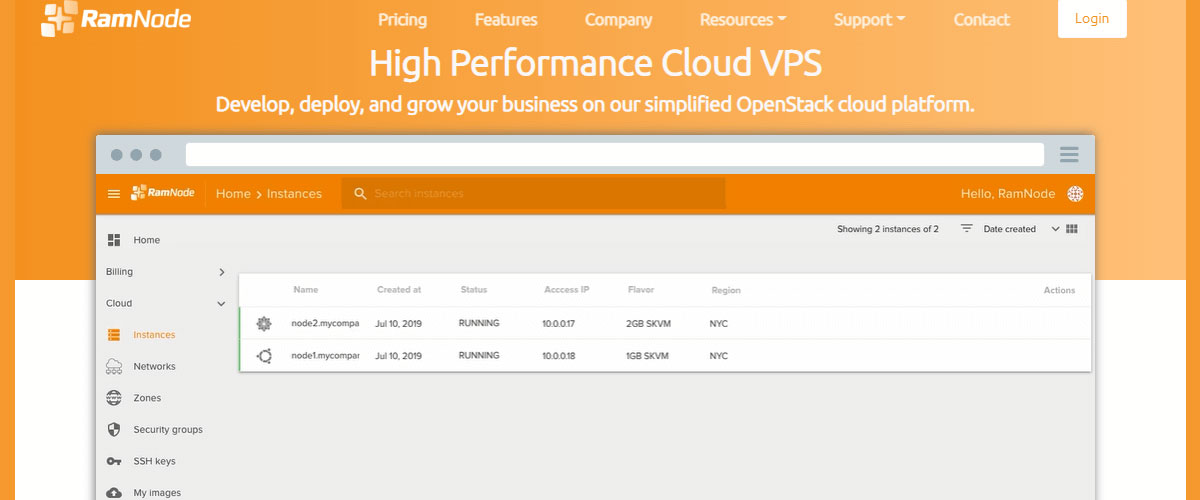
Ramnode is one of the cheapest VM hosting providers. It’s the perfect choice for anyone looking for a simple KVM-based server . They also offer OpenVZ server hosting. However, we are going to focus on KVM.
When you get the server, you won’t get all the addons. You can add them as per your need. This brings down the total cost of the virtual machine.
It includes OpenStack API as well as custom firewalls. They have data centers in the United States and Netherland. You will also get the Snapshots feature here.
Talking about the server, you will get standard hardware with tier 1 networking. The deployment is instant. You can also add more addons if required.
Starting specs and price
- CPU: 1 core
- Memory: 512 MB RAM
- Storage: 15 GB SSD
- Uplink aka bandwidth aka connection speed: 1000GB
- Price: $3 per month
OS Library
- It supports all the Linux distributions including Ubuntu, Fedora, CentOS, FreeBSD, Debian, etc.
- You can also add your ISO for custom OS.
Best features of Ramnode
- Their cloud hosting includes a user-friendly panel.
- There are all basic features included such as Snapshots, script installer, SSH, etc.
- The servers come with SSD storage.
- You can also choose different types of servers depending on your requirements.
- They offer 24/7 support. You can contact them anytime you want.
- They have 4 data centers in the United States itself at different locations.
10. Contabo
Looking for a cheap virtual machine provider with more server specs? Contabo is the one for you.
Even their base plan has 4 virtual cores. They use German-quality hardware to enhance your performance. They use standard hardware of AMD. The obvious catch is that the servers are not the latest.
In simple words, you might not get performance as good as you will get in the latest hardware of 4 cores.
Talking about bandwidth, you will get unlimited incoming traffic with private networking. They use KVM and Proxmox virtualization.
The number of features you are getting in the price range is impressive. Therefore, you can surely consider Contabo as one of the cheap VM hosting providers.
You can run automation with their powerful API. It supports Command Line Interface (CLI ).
Starting specs and price
- CPU: 4 cores
- Memory: 8 GB RAM
- Storage: 50 GB NVMe or 200 GB SSD
- Uplink aka connection speed: 200 Mbit/s
- Bandwidth traffic: 32 TB outgoing and unlimited incoming
- Price: $8.49 per month (no setup fee if you go with the annual plan)
OS Library
- For Linux, you can use Ubuntu, CentOS, FreeBSD, Debian, OpenSuse, AlmaLinux, and RockyLinux.
- You can get Windows server 2012R2, 2016, 2019, and 2022.
- They also allow custom ISO.
Best features of Contabo
- They use NVMe SSD for faster read/write speed.
- You will get private networking.
- DevOps features such as SSH, Cloud-init, etc. are also included here.
- You can customize the servers per your need.
- They sue DDoS protection (network-level) to keep your servers safe.
- You can deploy your server in just a couple of minutes.
11. InMotion Hosting
InMotion hosting is a premium hosting you can go for. They have high availability servers with dedicated resources.
You will also get a dashboard to monitor the resources and keep an eye on them. The breakdown of server resources will help you optimize your code. Further, it will also help you in scaling your server.
They also have great DDoS security. You will get a dedicated IP address to choose from. If you are running a couple of web apps on the same virtual machine, you can also do a partition and allocate the resources accordingly.
Overall, the features aren’t impressive but if you are looking to start a couple of projects on a small-scale, InMotion’s hardware allocation would help you a lot.
Starting specs and price
- CPU: 1 core
- Memory: 1 GB
- Storage: 25 GB
- Uplink aka bandwidth aka connection speed: 1 TB
- Price: $5
OS Library
- OS selection is very limited here. You can select from CentOS, Ubuntu, or Debian.
Best Features of InMotion Hosting
- There is excellent DDoS protection.
- The resource monitoring dashboard will allow you to optimize the server.
- You get a 99.99% uptime guarantee. Therefore, the performance is awesome.
- Free Ansible control node to deploy services faster.
- You can also allocate and partition the hardware.
12. HostGator
If you are looking for some popular names, HostGator is a good choice to go with. As it’s a well established hosting, you won’t get the hosting at a “cheap” rate.
However, their one feature surely justifies the premium rates. They offer unmetered bandwidth for all the servers. You will also get dedicated IPs with the server.
You can’t add resources individually. Also, they only have three plans.
They use Intel and AMD’s powerful hardware. You will get full control over your server. They will take weekly backups of your server.
Starting specs and price
- CPU: 2 cores
- Memory: 2 GB
- Storage: 120 GB SSD
- Uplink aka bandwidth aka connection speed: Unmetered
- Price: $23.95 per month (renews at $79.95/m)
OS Library
- There are no options here. You will have to use CentOS 7.
Best features of HostGator
- You will get unmetered bandwidth.
- They provide 24/7 live chat support.
- You will get a 45-day money-back guarantee on VPS too.
- They provide great security including backups, DDoS protection, etc.
- The site tools will help you with script installation.
13. Ionos
Ionos is yet another cheap virtual server to go for. It offers dedicated resources with unlimited traffic.
They offer a guarantee of 99.99% uptime. They offer a fully virtualized server. You don’t have to worry about isolation, autonomy, and security. All of these are included in the VPS.
They offer one of the cheapest plans for the virtual machine. However, as the cost is low, the quality and performance will be slightly affected.
On the positive side, you can try the server risk-free for 30 days. Thereafter, you can decide whether it’s required for you or not. You will get 24/7 support but they fail to deliver a proper response.
You will get DDoS protection and firewall management as well.
Starting specs and price
- CPU: 1 core
- Memory: 512 MB RAM
- Storage: 40 GB
- Uplink aka connection speed: 400 Mbit/sec
- Bandwidth: Unlimited concerning connection speed
- Price: $2 per month
OS Library
- You can install Ubuntu, OpenSuse, Debian, and CentOS.
- For Windows, it supports Windows servers 2016 9and 2019.
- You can import images but it will cost you extra. (100 GB for $7.20/month).
Best features of Ionos
- The hardware is standard and updated.
- You will get dedicated resources with full virtualization.
- It uses SSD SAN storage system for better speed.
- The monitoring feature allows you to keep an eye on usage.
- Even the invoice can show your usage and forecast.
- The virtualization is done using KVM. You will get access to the KVM console.
14. Liquidweb
Looking for managed VM providers with amazing speed? Then, you will love Liquidweb in this case.
It claims to be faster than AWS, Rackspace, and Digital Ocean. There are free data transfers for all inbound traffic. Each plan has allocated a bandwidth limit. Once the limit is crossed, the speed will slightly decrease.
Their Cloud VM is up to 200% faster as compared to other providers.
As you might have guessed, the charges will be slightly more. However, they have an introductory offer that chops the monthly rate.
To manage your virtual machine, you will get an InterWorx control panel. You can also add cPanel or Plesk. We suggest you use InterWorx as it offers unlimited accounts.
For security, it has got Standard ServerSecure Advanced Security and an integrated firewall. You will also get standard DDoS attack protection.
Starting specs and price
- CPU: 2 cores
- Memory: 2 GB RAM
- Storage: 40 GB SSD
- Uplink aka bandwidth aka connection speed: 10 TB
- Price: $45 per month for the annual plan.
OS Library
- You can add CentOS, Ubuntu, Debian, Fedora, and CloudLinux.
- You can also add a Windows server in 2012 and 2016.
Best features of Liquidweb
- They offer 100% uptime SLA.
- It has a threat stack oversight detection system for better security.
- As you go with higher plans, you will also get more features like Cloudflare pro, premium business email, etc.
- All the plans include 100 B Acronis cyber backups.
- They have pro-active monitoring by default.
- You will also get 24/7 support.
5 Cheap Cloud VM Hosting
These are cloud-based virtual machine hosting providers. You can go with private or public cloud.
15. Linode (Best Cloud VM Hosting Provider)
Linode is a cloud-based virtual machine that is the best in all terms. Whether you consider the pricing or performance of the cloud, Linode tops the competition. They offer shared CPUs and dedicated CPUs. Depending on your budget and requirements, you can choose one.
For most workloads, their shared CPU is enough. The features are almost similar in both of them. You will have predictable pricing with affordable rates. They offer DDoS protection, Cloud firewalls, and a private layer network.
They offer a 99.99% uptime guarantee. You will get a lightning-fast network. As Linode is a cloud service, you can easily scale with just a couple of clicks. The shared hosting uses a container cluster to provide optimal performance.
Starting specs and price
- CPU: 1 core
- Memory: 1 GB
- Storage: 25 GB
- Uplink aka connection speed: 40 Gbps Network In and 1 Gbps Network Out
- Bandwidth traffic: 1 TB
- Price: $5 for shared and $30 for dedicated
OS Library
- You can use all the latest versions of Alpine, Arch Linux, CentOS (stream), Debian, Fedora, OpenSuse, Slackware, Rocky Linux, and Ubuntu.
Best features of Linode
- They have a powerful API to automate your cloud.
- The Cloud manager and Longview allow you to simply monitor the server.
- Stack scripts allow you to deploy the apps with ease.
- There are many paid addons you can use such as backups, custom images, Nodebalancers, etc.
- It has a perfect combination of AMD CPUs and Nvidia GPUs.
- They also have 24/7 support.
- You have servers at more than 11 global locations.
16. Hetzner (Best for Europeans)
Hetzner is yet another excellent cloud provider with a high bandwidth limit. You can deploy your server with just a couple of clicks and your Hetzner cloud will be up in seconds.
They have been in the industry for more than 25 years now. The support is awesome.
It has a private networking cloud. You will also get a load balancer here. So, in case of heavy traffic, your web app will still be accessible. They have AMD and Intel hardware for better performance.
You can get the standard CPU or you can also get the dedicated CPU. You can always go with the shared CPU. It has great performance.
They have a developer-friendly panel. You can choose from t hree data centers in Germany, Finland, and the United States. Some plans are not available in the US data center. You will see the available data centers on the pricing page itself.
Starting specs and price
- CPU: 1 core
- Memory: 2 GB
- Storage: 20 GB
- Uplink aka connection speed: 10 Gbit
- Bandwidth traffic: 20 TB
- Price: € 4.75 (roughly $4.96)
OS Library
- You can choose from Ubuntu, Debian, Fedora, Arch Linux, CentOS, Rocky Linux, and Alma Linux.
Best features of Hetzner
- They have a developer-friendly panel.
- You can add the resources as per your need.
- There are floating IPs.
- You will get DDoS protection.
- Hetzner also provides a firewall for security.
- You can add backups and snapshots for an extra charge
17. Dreamhost
Dreamhost cloud VM is the simple affordable server you can go with.
They offer hourly pricing with a monthly maximum limit. So, you will only be charged for the number of hours you use your instance. There is a monthly charge limit. Once that is hit, you won’t be charged further.
So, your monthly billing can be lower but never higher.
Cloud computing is done with Openstack. They support all technologies including Node JS, Python, Mongo DB, etc.
Currently, they offer the bandwidth for free at no extra charge. It might increase in the future. The storage is much higher than other cloud virtual machines.
You can scale up vertically or horizontally as per your need. In simple words, you can add more resources or add more instances as per your need.
Starting specs and price
- CPU: 1 core
- Memory: GB
- Storage: 80 GB (100 GB Block Storage)
- Uplink aka bandwidth connection speed: Free bandwidth for a limited time
- Price: $4.50 monthly ($0.0075 per hour)
OS Library
- CentOS, Debian, Fedora, and Ubuntu come pre-loaded in DreamCompute.
- You can add more OS as per your need. Yes, you can also add Windows.
Best features of Dreamhost
- You can deploy your virtual machine in less than 30 seconds.
- Their billing policy is transparent.
- You will only be charged for 25 days (600 hours) per month. The rest of them is free.
- DreamCompute gives you full control over your server.
- They use KVM for virtualization.
18. UpCloud
UpCloud is the European cloud for businesses and individuals. They have two types of cloud packages. You can either go with the simple plan with fixed resources or you can configure your server.
They also offer a powerful REST API to automate your cloud. One of the interesting things about UpCloud is the separation of the compute and storage. So, you can easily restart your virtual machine in case of failure.
Talking about failure, it’s resilient to a fault. The automatic restarts will allow your server to recover with very minimum interruption.
You can add managed databases and managed load balancers for an extra charge. They have 12 global data centers to select from. The Helsinki server will cost you slightly more as compared to others.
Overall, it’s a great VM hosting provider to go with. let’s see the supported operating systems on UpCloud.
Starting specs and price
- CPU: 1 core
- Memory: 1 GB
- Storage: 25 GB MaxIOPS
- Uplink aka bandwidth aka connection speed: 1 TB
- Price: $5 for 28 days, $7.5 for the Helsinki server
OS Library
- For Linux, you can use CentOS, Fedora, Debian, and Ubuntu.
- You can also add Windows servers in 2008, 2016, and 2019.
- They also support custom ISO files at an extra cost of $0.22 per month.
Best features of UpCloud
- You can deploy your server in less than 45 seconds.
- They offer 100% SLA.
- You will get consistent performance.
- Customer support is available 24/7.
- It has fully transparent billing. The renewal price stays the same.
19. HostGator Cloud
We mentioned HostGator above as one of the cheapest VM hosting providers. They also offer cloud hosting at a cheaper rate. It’s a public cloud platform.
They have plans very similar to shared hosting. You can only host one domain in the base plan. On the positive side, each plan includes a cPanel. Therefore, if you have been using shared hosting for a while, HostGator cloud won’t be new to you in any way.
However, the performance is much better than shared hosting. It includes resource management. Overall, it’s a great alternative for someone who is looking to host a hobby project and wants cPanel.
It’s great for temporary projects as the rate goes up at the time of renewal.

Starting specs and price
- CPU: 2 cores
- Memory: 2 GB
- Storage: Unmetered (limited by Inodes)
- Uplink aka bandwidth aka connection speed: Unmetered
- Price: $7.95 a month for an annual plan (renews at $10.95)
OS Library
- They use CentOS 7. You can’t change it. It’s fixed.
Best features of HostGator Cloud
- You will get a 99.9% uptime guarantee.
- They offer a 45-day money-back guarantee.
- You will also get free cPanel to manage your cloud.
- As the features are like shared hosting, you don’t need to worry about the backend management of the cloud.
- They offer 24/7 support.
- It supports all the popular programming languages and databases such as Python, Ruby on Rails, CPAN, MYSQL, Curl, etc.
Buying guide for VM providers
Many people are confused about virtual machine hosting and how to select the best one. We will see more about VM hosting, its advantages, and then we will quickly see how you can select the best one for your needs.
Let’s see this in more detail
What is VM or virtual machine hosting exactly?
Virtual Machine (VM hosting), also known as VPS, is software-based virtualization made on the server to provide the users with an isolated environment. The allocated resources for the VM can only be used by that particular machine.
There are many isolation software such as KVM, OpenVZ, XEN, etc. These virtualization tools are used to isolate the resources from the server.
In simple words, VM hosting will allow you to have isolated resources on the server.
Advantages of using VM Hosting Servers
- Dedicated Resources: You can have all the resources for yourself. There are no noisy neighbors to steal your resources.
- Scalability: You can scale up the resources as per your need. It’s one-click scaling.
- Easy Management: VPS are easy to manage as compared to dedicated servers.
Selecting the Right VM Host for your Need
Here’s a quick guide on how to select the VM based on your need.
- Isolation: You need to ensure that you’re getting an isolated environment.
- Adding resources: You should be able to add individual resources such as storage, bandwidth, etc. on the server.
- Price: Make sure that the pricing is predictable. You can also see renewal pricing.
- Tech features: You can look at the OS library, technology stack, and API.
Conclusion
You can select any of the given reliable and cheap VM hosting providers. All of them are great in their way. Depending on your need, you can select the best one.
Here’s a quick recommendation for you.
- Best Overall: Kamatera
- Best Specs: Vultr
- Best Price: Time4VPS
- Best for Windows: Kamatera or Vultr
- Best Cloud VM: Linode
FAQ (Frequently Asked Questions)
Are virtual servers free?
No, you will have to pay a monthly fee for the virtual servers. You can surely try them for free if they offer a trial.
Is there any free cloud VM?
There are no reliable free cloud VM. However, you can try out the servers for free or at a very affordable price. Vultr, Cherry Servers, and Linode are the cloud VMs among the cheapest cloud VMs.
Is cloud cheaper than VPS?
It depends on the features and specs you are getting. Usually, people prefer VPS to VM which provides all the features similar to the cloud. So, the cost is very much similar.